
ABELMed EHR – EMR / PM
A User-Friendly Solution for Streamlined Medical Practice Management
Benefit from a complete range of electronic medical records capabilities and practice management features.
Physician Dashboard Reimagined!
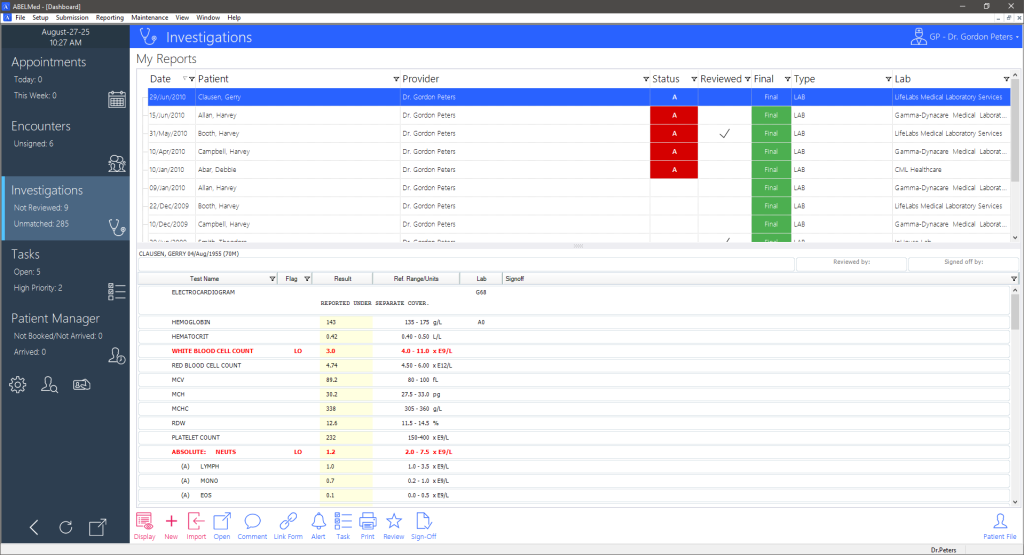
Enjoy major workflow advantages through one-screen access to multiple types of information and functions. The dashboard helps you manage your time and outstanding work-to-do by drawing attention to important items such as:
Investigations
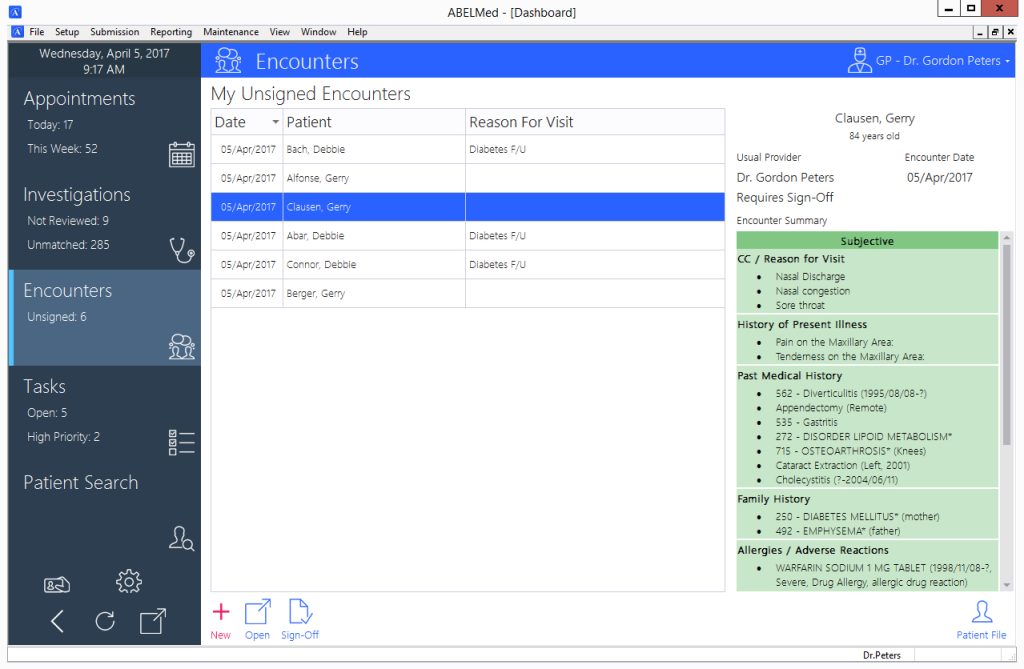
Encounters
Appointments
Forms
Tasks
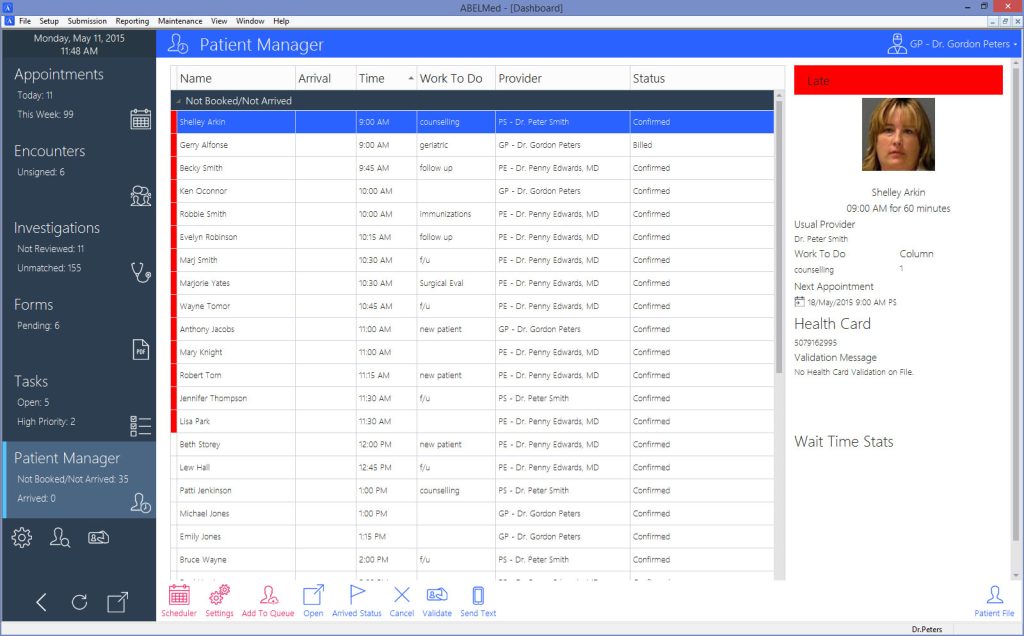
Patient Manager
Quickly track patients as they move through the stages of their visit (arrival time, wait time and progression within the office).
Save time and improve patients’ experience with easy access to the information you need to provide optimum care.
Cumulative Patient Profile
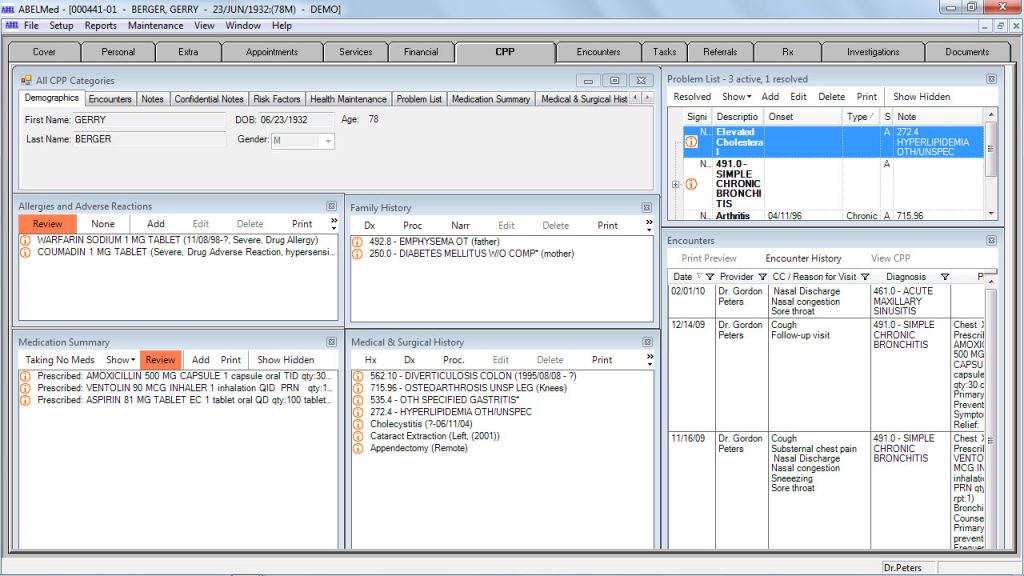
The Cumulative Patient Profile (CPP) maintains a concise summary of a patient’s health in a variety of categories.
Benefit from streamlined synchronicity – entries made on the CPP are automatically added to an existing or new encounter.
Quickly transfer important information recorded during an encounter into the CPP
Save time with easy information retrieval – the CPP is organized by categories.
Customize CPP configuration by user preference – many category windows can be resized, added to or removed from the CPP screen.
View commonly used categories as floating, resizable windows for your convenience and control.
Categorize each entry by its significance for at-a-glance prioritization.
Encounters/Progress Notes
Record findings using the method you prefer – a mouse, keyboard, voice dictation or Tablet PC handwriting recognition.
Improve accuracy and speed by using predefined templates for standard encounters (e.g. hypertension visit) or create custom templates to suit your needs.
Combine templates in a single encounter (e.g. hypertension and depression) and record additional information whenever necessary.
Save time by pulling in the information from a similar previous encounter (e.g. follow up of a chronic disease such as arthritis).
Quickly sign off on your Progress Notes by using ABELMed’s electronic signature capabilities.
Save time and effort by prescribing medications and ordering tests directly from the Encounters tab.
Easily create Referral and Consult letters right from the Encounters tab.
Preventative Care Management
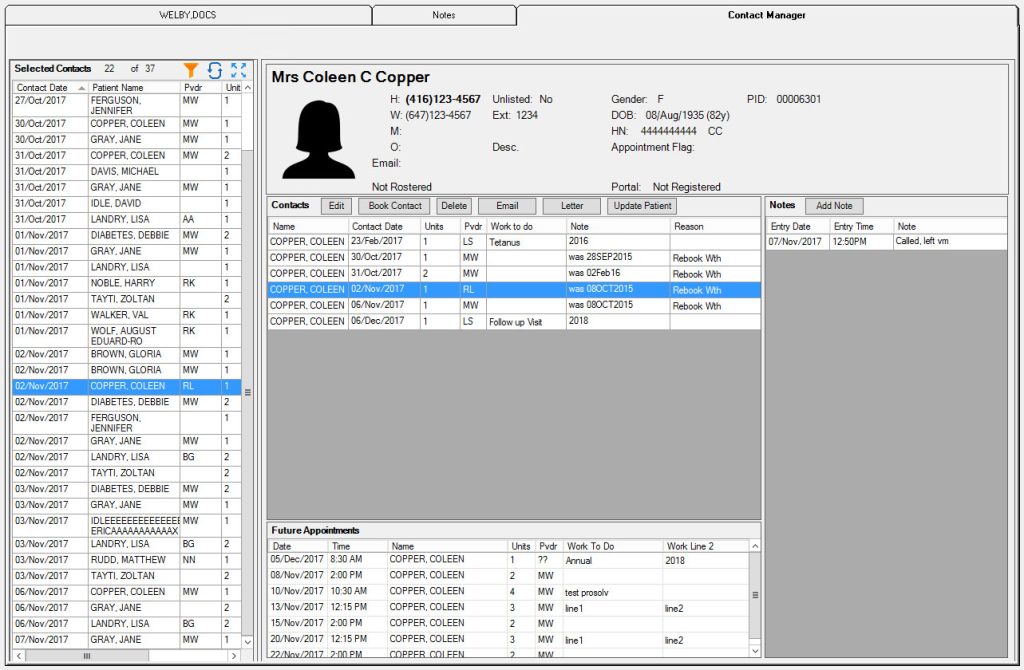
Track patients who need appointments for preventative care. The Contact Manager provides the information you need to book their appointments at the appropriate time interval.
Take advantage of ABELMed’s automatic screening for patients who need a mammogram, pap smear, flu shot, or immunization so that you can send a reminder letter or call them to book an appointment.
Appointment Scheduling/Management
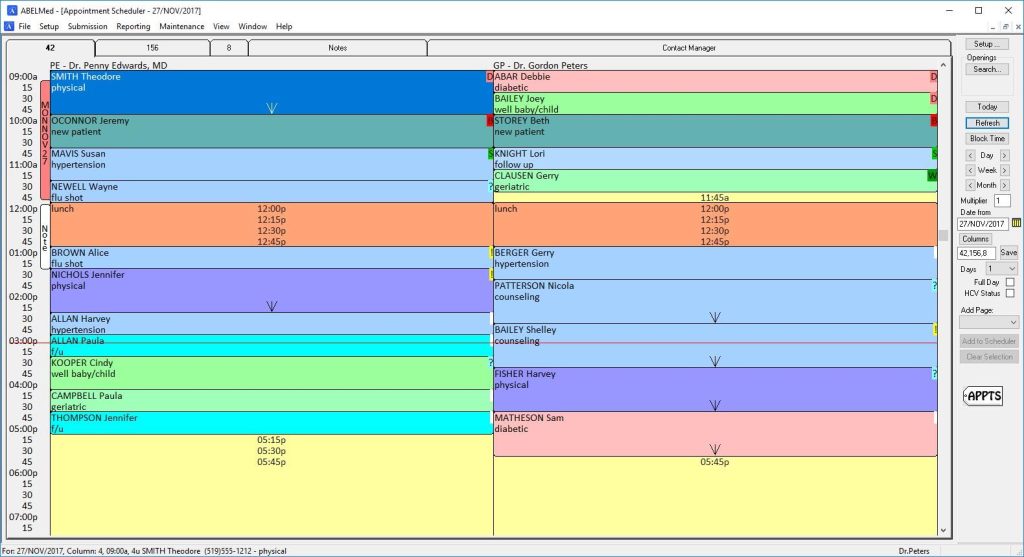
Display any combination of days and providers – each user may only view what they need to see.
Use custom colour-coding to differentiate information about procedures, providers, confirmation and arrival status for each appointment.
Dashboard Daysheet
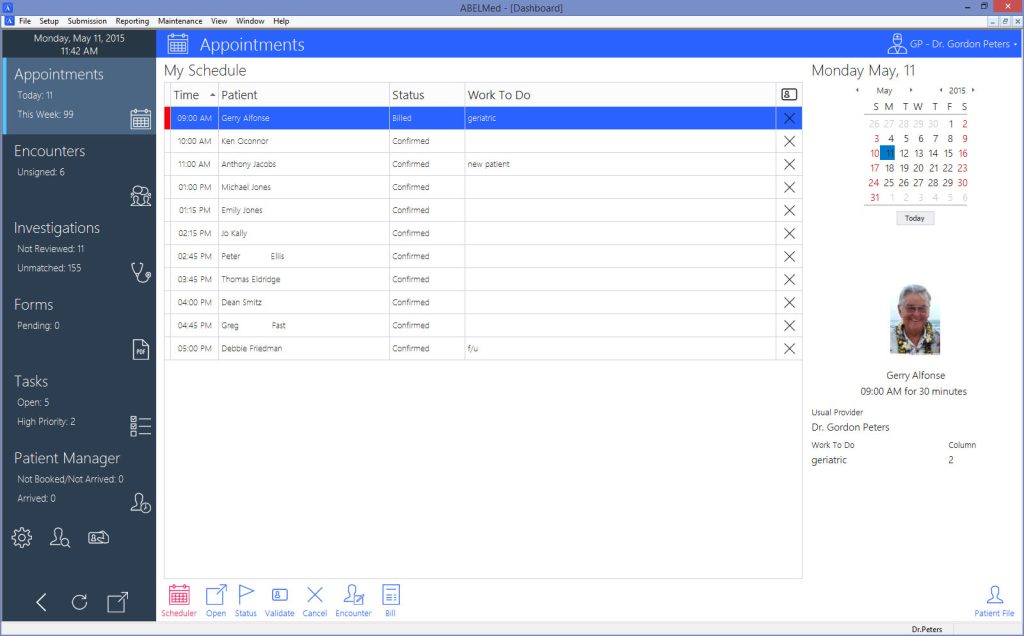
Easily track patient tasks for the day by displaying the appointment schedule from the Dashboard.
Chronic Disease Management Flowcharts
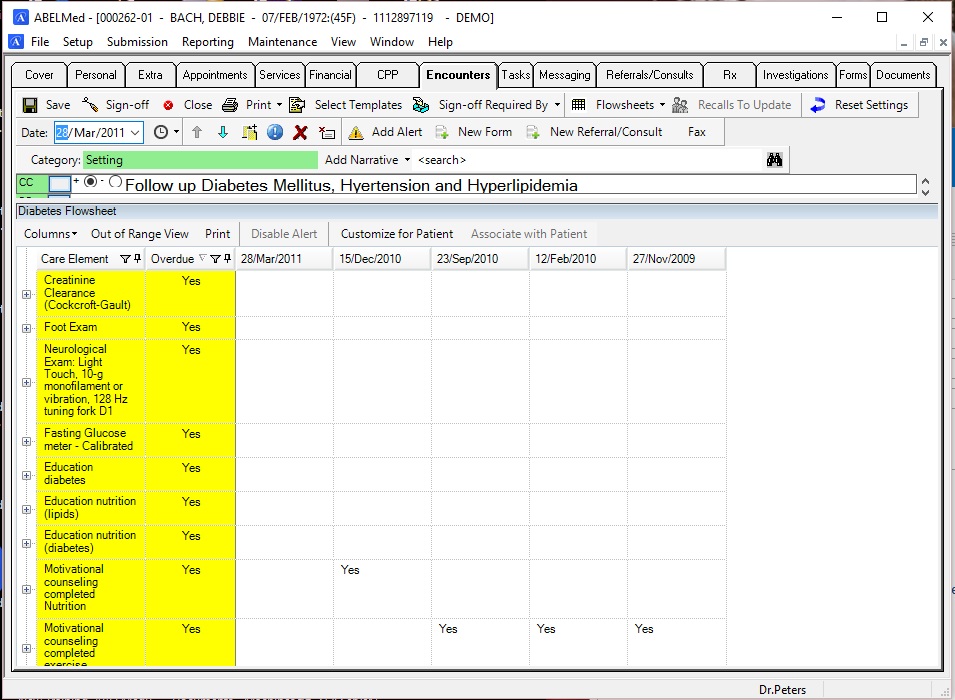
Effectively manage chronic disease patients with customizable flow sheets that track the status of their conditions.
Customize clinical/administrative parameters for disease tracking.
Receive alerts for abnormal values.
Receive notifications if the recommended intervals for follow-ups are missed.
Graphs
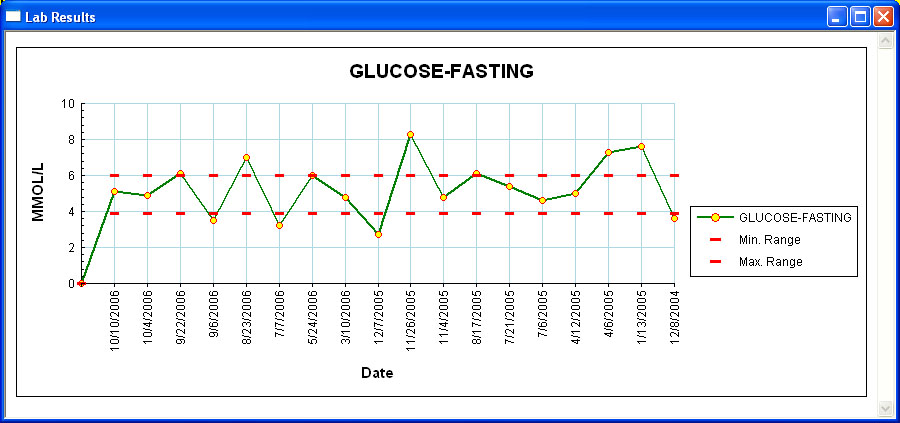
Detect trends more easily by viewing conditions such as patient’s vitals and pediatric growth in graphical format. Graphs also serve as an excellent visual aid to help explain such trends to your patients.
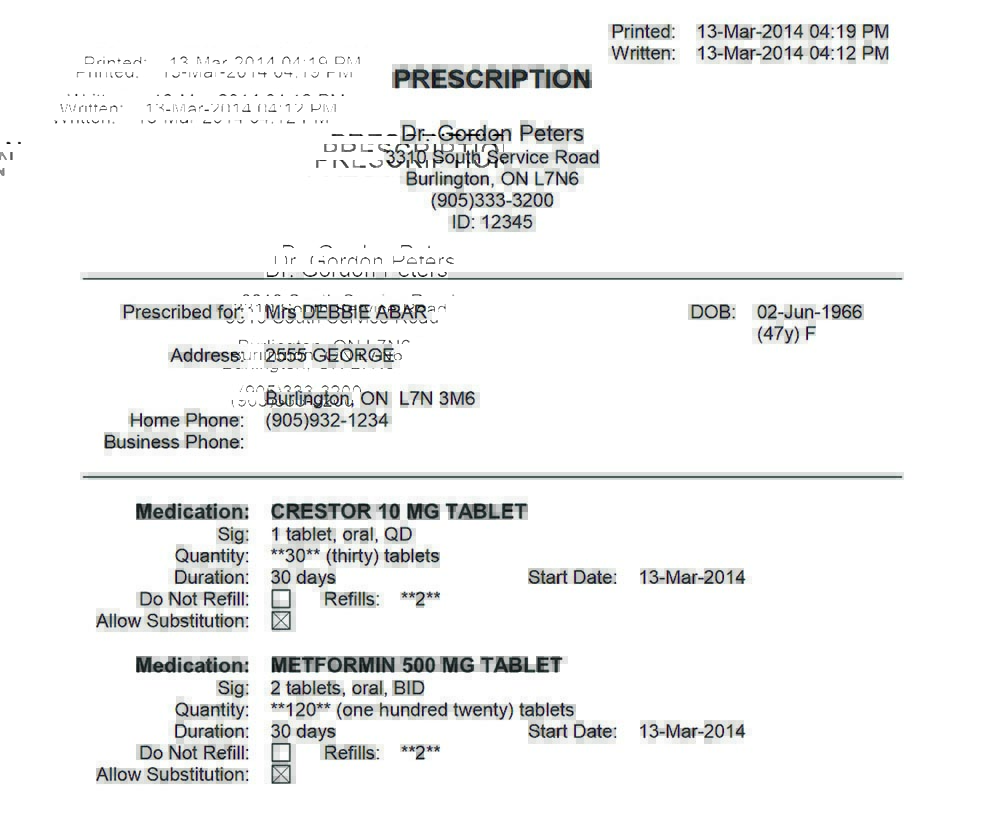
Prescriptions
Detect potential interactions before finalizing prescriptions.
Print or fax the prescription directly from the patient’s chart.
Renew multiple medications simultaneously.
Create a list of the most commonly prescribed medications and save time required to create prescriptions.
Add non-formulary drugs to your database.
Security and Privacy
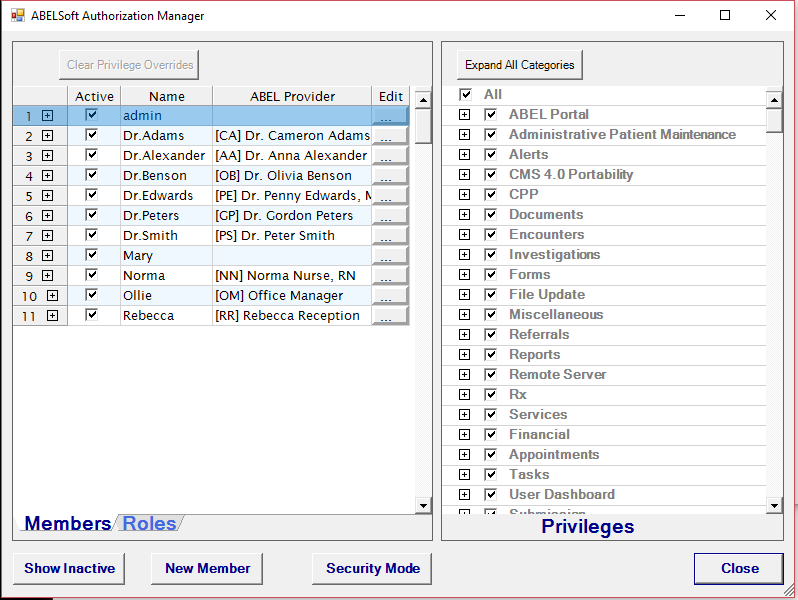
Gain peace of mind by using ABELMed’s built-in security features that allow you to control access to the information in your system via the Authorization Manager.
Restrict access to medical records and program functions by using password protected user roles.
View reports on changes to your data including edited or deleted financial records.
OLIS
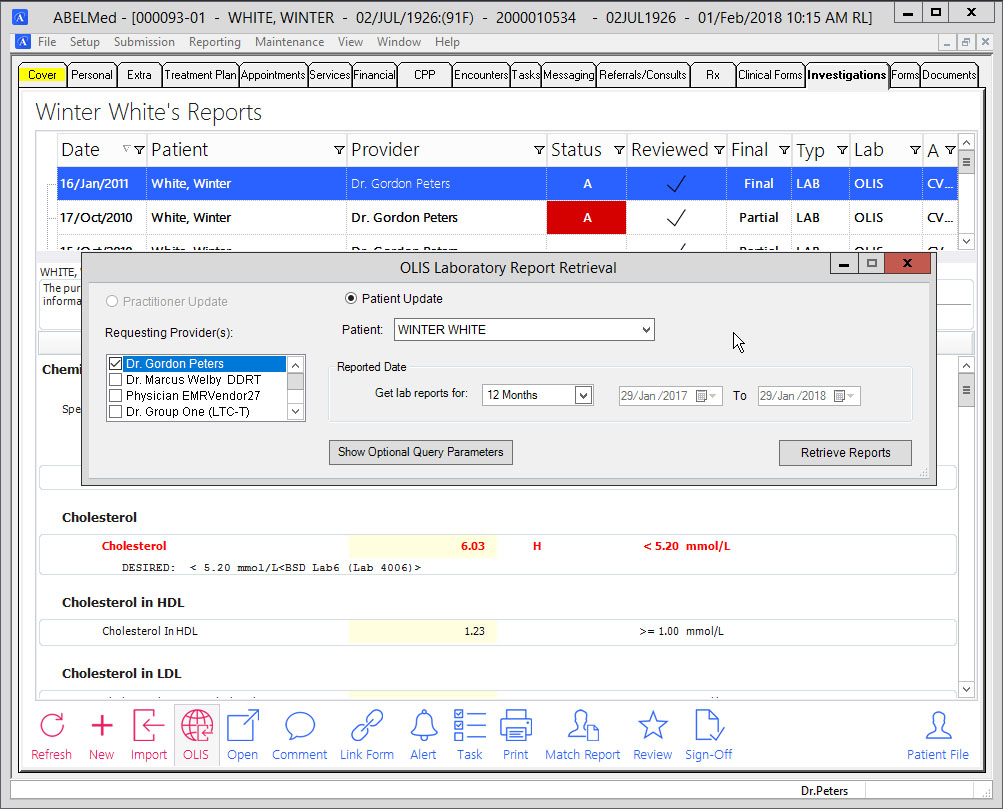
Get instant access to patients’ lab test results in the Ontario Laboratory Information System (OLIS) database, whether these tests were ordered by you or other physicians, and quickly download test results into ABELMed.
OLIS
Health Report Manager
Welch Allyn Interface
Handwriting Recognition
Billing
- Save time and reduce errors by recording diagnoses and procedure codes directly in the encounter and then assigning a task to billing staff to create the bill.
- ABELMed helps you establish and maintain control of all receivables including OHIP, WSIB, Reciprocal, Third Party and Uninsured billing. Use EDT, OBEC and HCV to speed up claims processing and reconciliations while reducing submission errors.
- Print professional invoices and monthly statements with the click of a mouse.
Labs
- Receive lab results electronically and get them sooner and in a clear format.
- Results are automatically recorded in the patient’s chart, along with your comments.
- Review results on screen or print them.
- View cumulative as a graph or as a table.
- Reduce time wasted in “Chart Search” when a lab report arrives.
- Measure and set therapeutic levels.
- Utilize Lab Report templates e.g. INR flowsheets.
Dragon Medical
- ABELMed EHR-EMR/PM integrates seamlessly with Dragon Medical to save you time and money. Record voice files on-the-go, in your clinic or at the hospital. Voice files are quickly converted to text and loaded directly into your patient encounters through integration with ABELMed.
Handwriting Recognition
- For many practitioners, patient charting with handwriting recognition can be noticeably faster compared to typed entries. ABELMed is integrated with Windows based tablets using handwriting software so that entered notes are translated into text entries and inserted directly into patient encounter notes.
Referral and Document Management
- Create referral letters. Generate referral letters quickly and easily from your existing encounter notes, CPP and lab results. No double entry required.
- Track referrals. Stay on top of your referrals by tracking which referrals have been sent, which patients have been seen, which require follow-up and which need referral responses sent.
- Manage Documents. Effectively manage patient documents such as x-ray reports consult notes which can be easily searched and retrieved.
Referrals and Consultations
- ABELMed EHR – EMR / PM gives you the ability to generate referral letters quickly and easily from your existing notes. No double entry is required. Just pull up the referral request and click on the sections of the chart that you would like to include in your letter.
Reporting and Analysis
- ABELMed includes many standard reports to help you manage your practice. The Report Generator lets you create advanced custom reports with an infinite number of data combinations.
Work Queue
- You can delegate lab-related tasks easily by using the built-in Work Queue system. It works just like email – simple and fast and it is easy to incorporate into your existing workflow.


